Table of Contents
Introduction
Businesses need efficient methods to connect with potential clients in the cutthroat online market of today. Google Ads in digital marketing provides businesses with a way to promote their products and services to people who are actively searching online.
Google Ads is Google’s online advertising platform. Businesses can create advertisements that appear across Google’s advertising network based on factors such as keywords, audience, location, campaign settings, and bidding.
Unlike organic search engine optimization (SEO), Google Ads is a form of paid advertising. Businesses can set budgets, choose their target audience, measure campaign performance, and make changes based on results.
Whether you run a small local business, an e-commerce store, or a professional service, understanding how Google Ads works can help you make better decisions about paid digital marketing.
What Is Google Ads in Digital Marketing?
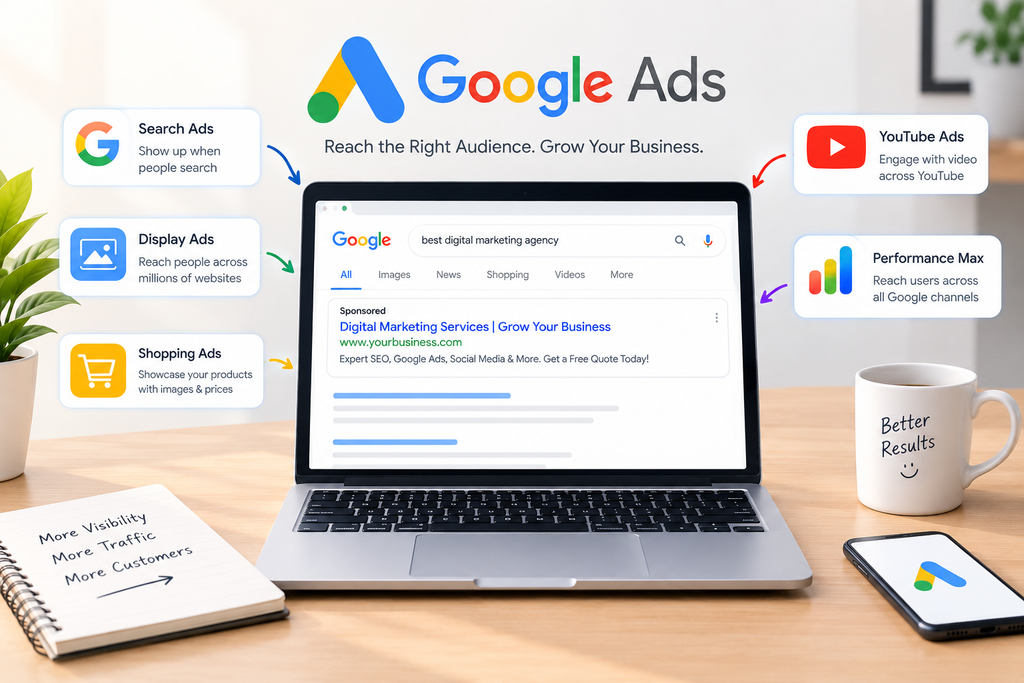
Businesses can use Google Ads, an internet advertising platform, to promote their goods and services to prospective clients.
It was previously known as Google AdWords. Today, Google Ads supports several advertising formats and campaign types designed for different marketing objectives.
The basic idea is simple: businesses create advertisements and choose targeting settings that help Google determine when and where those ads may be shown.
For example, if someone searches for “digital marketing services,” a business offering those services may use Google Ads to compete for relevant advertising opportunities.
Google Ads can be utilised for objectives like:
- Generating website traffic
- Getting leads
- Increasing sales
- Promoting products
- Building brand awareness
- Increasing app engagement
- Reaching specific audiences
This makes Google Ads an important part of many digital marketing strategies.
How Does Google Ads Work?
Understanding how Google Ads works is important before creating a campaign.
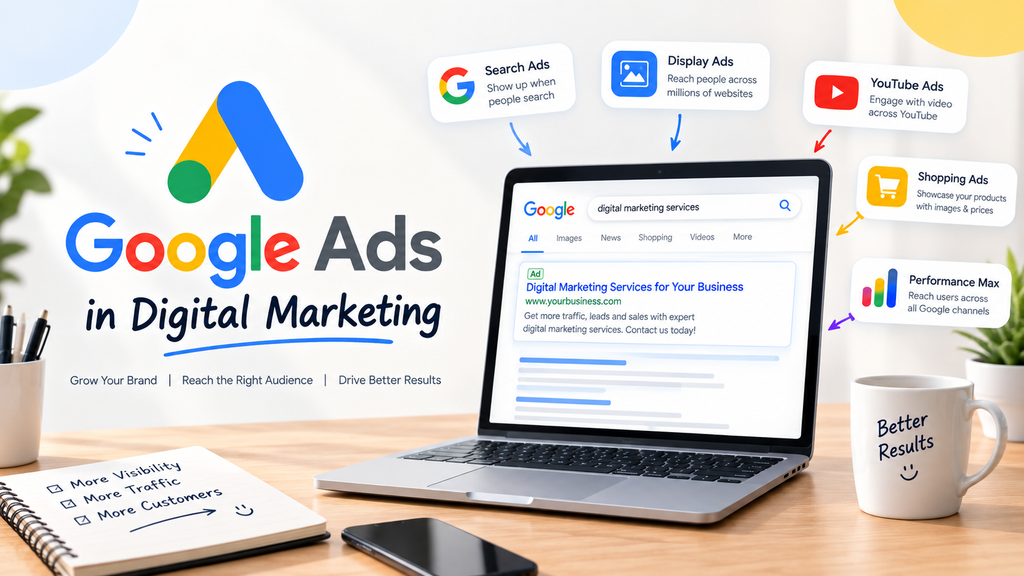
Google may hold an advertising auction to decide which qualified ads can show up and where they can appear when a user conducts a relevant search.
The process generally involves several steps.
1. Choose a Campaign Goal
First, an advertiser identifies what they want to achieve.
Common goals include:
- Sales
- Leads
- Website traffic
- Brand awareness
- App promotion
The campaign objective helps determine the appropriate campaign settings and measurement approach.
2. Select Relevant Keywords
Keywords are words or phrases that advertisers use to connect their advertisements with relevant searches.
For example, a digital marketing agency might target keywords such as:
- Digital marketing services
- SEO services
- Google Ads services
- Social media marketing agency
Choosing relevant keywords helps businesses reach users whose searches are related to their offerings.
3. Create the Advertisement
Advertisers create ad content that may include headlines, descriptions and other assets.
The advertisement should clearly communicate:
- What the business offers
- Why the user should consider it
- What action the user can take
4. Google Ads Auction
To decide which ads are eligible to run, Google holds an advertising auction.
Ad position and eligibility can depend on multiple factors, including bid, ad quality, competition, search context, and the expected impact of ad assets.
Therefore, simply having the highest possible bid does not mean an advertisement will automatically achieve the best position.
Types of Google Ads
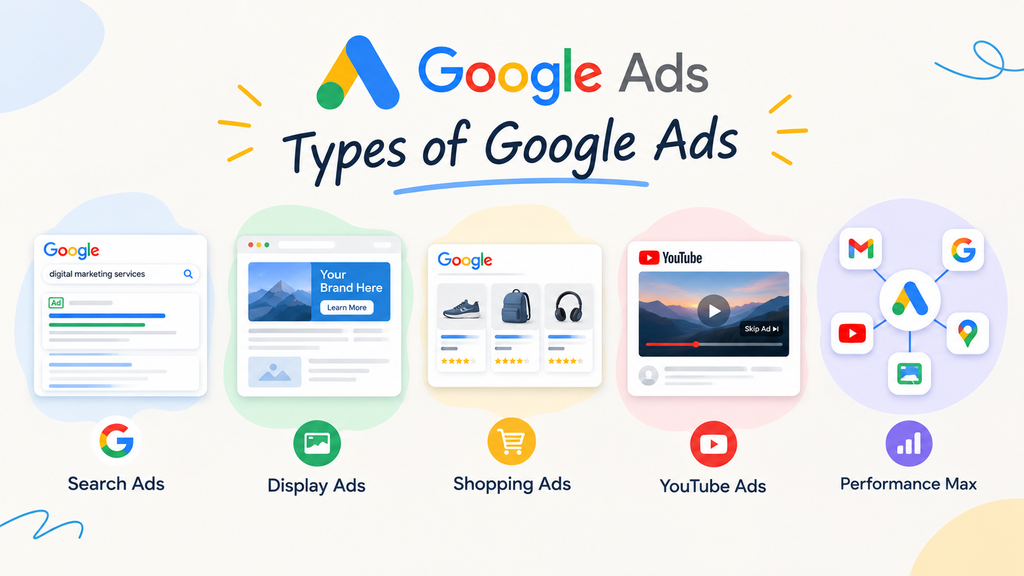
The fact that companies can select from a variety of campaign kinds and advertising formats is one of Google Ads’ main benefits.
Google Search Ads
Search Ads are text-based advertisements that can appear when people search for relevant terms on Google.
They are particularly useful when a business wants to reach users who are already looking for a product or service.
For example, a user searching for “website design company” may see relevant paid advertisements from businesses offering website development services.
Google Display Ads
Display advertising uses visual advertisements that can appear across eligible websites, apps and other placements within Google’s Display Network.
Display Ads can help businesses:
- Build awareness
- Reach relevant audiences
- Promote products
- Support remarketing campaigns
Google Shopping Ads
Shopping Ads are designed primarily for product-based businesses.
They can show useful product information such as:
- Product image
- Product name
- Price
- Store information
This makes Shopping campaigns particularly relevant for e-commerce businesses.
YouTube Ads
Google Ads also supports advertising on YouTube.
Businesses can use video advertising to introduce their products, demonstrate services, educate audiences, or build awareness.
Performance Max Campaigns
Performance Max is a campaign type that can help advertisers access multiple Google advertising channels through a single campaign.
It can be useful for businesses that want to work toward specific conversion-related goals across Google’s available inventory.
Why Is Google Ads Important in Digital Marketing?
Google Ads can play an important role in a digital marketing strategy because it allows businesses to connect advertising with specific audiences and measurable objectives.
Reaches Potential Customers
Businesses can target consumers who are actively looking for pertinent goods or services by using search advertising.
This can be valuable because search queries often provide useful information about what a user is looking for.
Provides Measurable Performance
Digital advertising allows businesses to monitor campaign performance through metrics such as:
- Impressions
- Clicks
- Click-through rate
- Conversions
- Conversion rate
- Cost per click
- Cost per conversion
- Return on ad spend
This data can help advertisers identify areas that require improvement.
Provides Budget Control
Businesses can establish advertising budgets and adjust their campaigns according to their marketing requirements.
This makes paid search accessible to businesses with different advertising objectives and budgets.
Supports Different Business Goals
Different phases of the customer journey can be supported by Google Ads.
Businesses may use advertising to generate awareness, attract website visitors, generate leads, or encourage purchases.
How Much Does Google Ads Cost?
For Google Ads, there is no set price.
The amount a business spends depends on factors such as the campaign type, competition, keywords, location, targeting, bidding strategy, and overall campaign settings.
For example, highly competitive keywords may have different advertising costs compared with keywords that have lower competition.
Advertisers can control important budget settings and choose bidding approaches according to their campaign objectives.
Understanding the distinction between a budget and the true cost of each clicks or conversions is also crucial.
Instead of focusing only on getting the cheapest clicks, businesses should consider whether their advertising is generating meaningful results.
How to Set Up a Google Ads Campaign
Creating a Google Ads campaign requires planning and a clear understanding of the target audience.
A basic campaign setup can include the following steps:
Step 1: Define Your Goal
Decide whether the campaign is designed to generate:
- Sales
- Leads
- Traffic
- Awareness
- App-related actions
Step 2: Choose Your Campaign Type
Select a suitable campaign type based on the business objective.
Step 3: Research Keywords
Find keywords that are relevant to your products or services.
Consider the user’s search intent before adding a keyword to your campaign.
Step 4: Define Your Audience
Depending on the campaign, consider targeting factors such as:
- Location
- Language
- Audience characteristics
- Search behavior
- Relevant audience segments
Step 5: Write Your Ad Copy
Create clear and relevant headlines and descriptions.
What the user is looking for should be reflected in your marketing.
Step 6: Create a Relevant Landing Page
Information about the advertisement should be included on the landing page.
For example, if an advertisement promotes SEO services, sending visitors to a dedicated SEO services page may provide a more relevant experience than sending them to a general homepage.
Step 7: Set Your Budget and Bidding
Choose an appropriate budget and bidding strategy based on your campaign objectives.
Step 8: Monitor and Optimize
After launching the campaign, review performance regularly and make data-driven adjustments.
Key Google Ads Metrics to Track
Tracking performance is an essential part of successful paid advertising.
Impressions
Impressions indicate how many times an advertisement was shown.
Click-Through Rate
CTR measures how frequently users click an advertisement after seeing it.
Cost Per Click
CPC refers to the amount associated with a click on an advertisement under a CPC-based bidding approach.
Conversions
Conversions are valuable actions completed by users, such as purchases, form submissions, calls, or sign-ups.
Conversion Rate
Conversion rate measures how frequently relevant interactions result in a conversion.
Cost Per Conversion
This metric helps businesses understand the advertising cost associated with obtaining conversions.
Return on Ad Spend
ROAS compares revenue attributed to advertising with the advertising spend.
Best Practices for Google Ads in Digital Marketing
A well-planned campaign is generally more useful than simply increasing advertising spend.
Follow these practices when managing Google Ads campaigns:
- Use keywords relevant to your products or services.
- Understand search intent before selecting keywords.
- Write clear and useful ad copy.
- Use relevant landing pages.
- Test different advertisements.
- Monitor conversion performance.
- Review search terms regularly.
- Use negative keywords where appropriate.
- Adjust targeting when performance data supports a change.
- Track conversions correctly.
- Review campaigns regularly instead of leaving them unchanged.
Getting clicks shouldn’t be the only objective. The focus should be on attracting relevant visitors and achieving the campaign’s intended business objective.
Google Ads vs SEO: What Is the Difference?
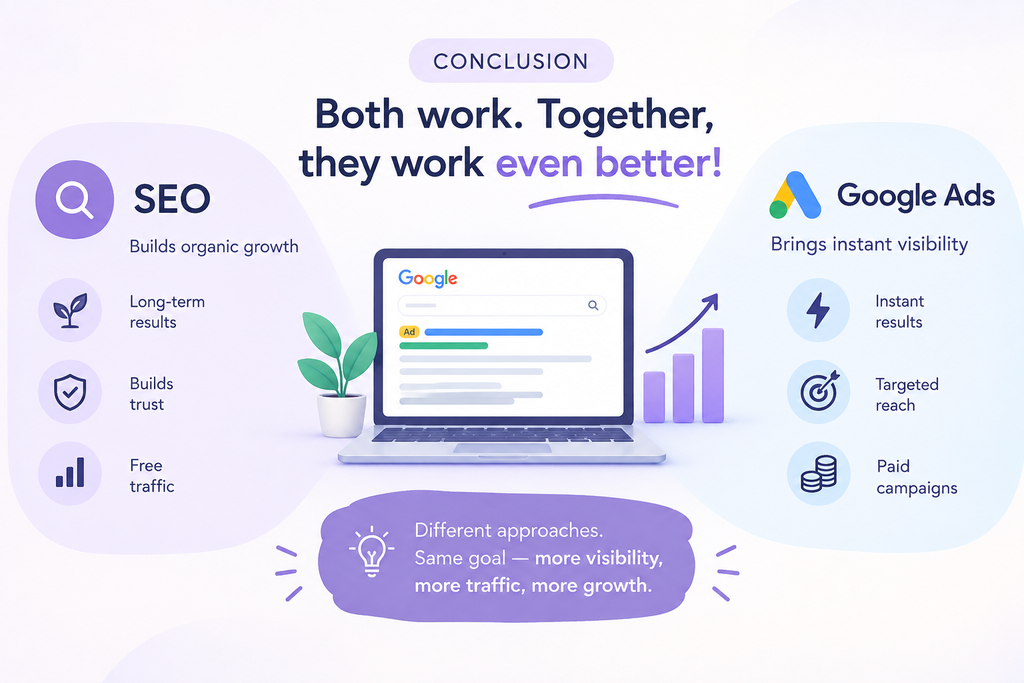
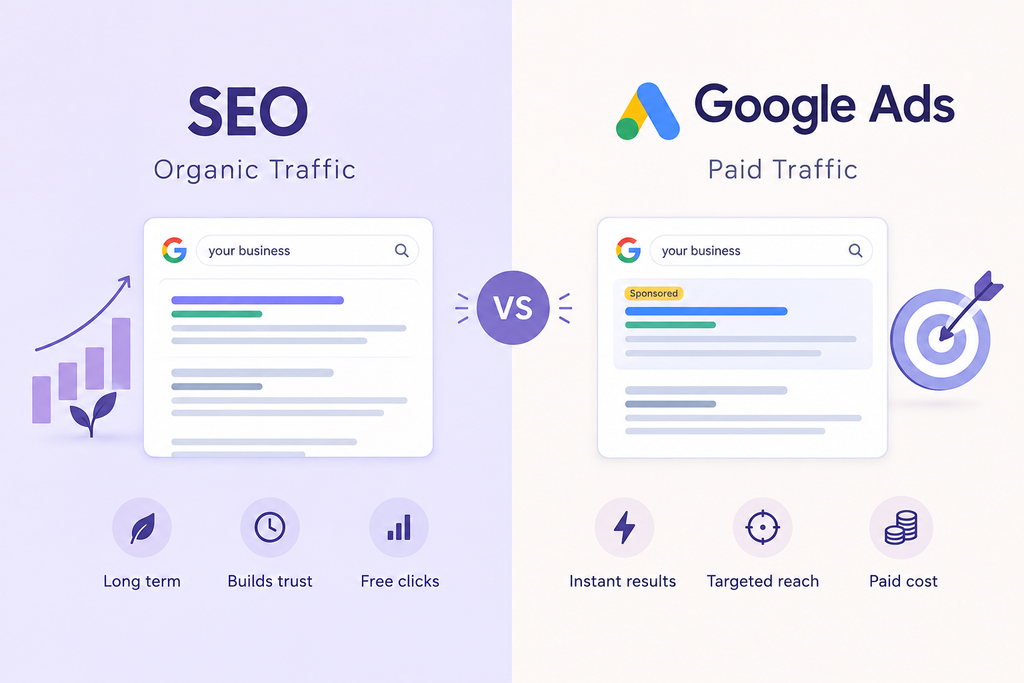
Although they function differently, Google Ads and SEO are both crucial digital marketing tools.
| Google Ads | SEO |
| Paid advertising | Organic search marketing |
| Advertisers pay according to the applicable advertising model | No direct payment for each organic click |
| Campaigns can be launched and adjusted | Organic visibility usually develops over time |
| Provides paid search visibility | Focuses on improving organic rankings |
| Requires an advertising budget | Requires investment in content, technical SEO and optimization |
Businesses do not necessarily have to choose only one.
Google Ads can be used for paid visibility, while SEO can support long-term organic search visibility.
Common Google Ads Mistakes to Avoid
Even a well-funded campaign can perform poorly if it is not properly planned.
Avoid these common mistakes:
Targeting Irrelevant Keywords
Adding keywords that are unrelated to your offering can attract users who are unlikely to become customers.
Ignoring Search Intent
A keyword may receive searches but still fail to match the user’s purpose.
Always consider why someone is searching for a particular phrase.
Using the Same Landing Page for Everything
Different services and products often deserve dedicated landing pages.
Focusing Only on Clicks
Clicks are useful, but they do not necessarily represent business success.
Look at conversions and other meaningful metrics as well.
Not Testing Your Campaign
Testing different advertisements, targeting settings and landing pages can help identify opportunities for improvement.
Frequently Asked Questions About Google Ads
What is Google Ads in digital marketing?
Google Ads in digital marketing refers to using Google’s paid advertising platform to promote products, services, websites or apps. Businesses can create campaigns targeting relevant audiences and measure results using various performance metrics.
How does Google Ads work?
Google Ads works through advertising auctions and campaign targeting. Advertisers select campaign settings, create advertisements and establish bidding and budget preferences. Google then determines eligible advertising opportunities based on multiple factors.
What are the main types of Google Ads?
Major Google advertising options include Search Ads, Display Ads, Shopping Ads, YouTube advertising and Performance Max campaigns.
Is Google Ads free?
Creating a Google Ads account does not mean that advertising is free. Businesses pay according to the applicable campaign and bidding model when their advertisements generate chargeable interactions.
How much does Google Ads cost?
Google Ads does not have one fixed price. Costs vary according to factors such as industry, competition, keywords, location, targeting and bidding strategy.
Is Google Ads better than SEO?
Google Ads and SEO serve different purposes. Google Ads provides paid advertising opportunities, while SEO focuses on organic search visibility. Both can be utilised by companies as a component of a more comprehensive digital marketing plan.
Conclusion
Google Ads in digital marketing can help businesses reach relevant audiences, promote their products and services, generate leads, and measure advertising performance.
From Search and Display Ads to Shopping, YouTube and Performance Max campaigns, businesses have different options depending on their goals.
However, effective Google advertising is not simply about spending more money. Successful campaigns require relevant targeting, useful advertisements, suitable landing pages, accurate conversion tracking and regular optimization.
Google Ads can become a part of a larger plan for increasing online exposure and connecting with new clients when it is integrated with other digital marketing channels like SEO, content marketing, social media marketing, and email marketing.